很多APP都不能用了 像Expandriver , Open driver....
所以只好這樣用
https://www.omgubuntu.co.uk/2016/08/use-google-drive-ubuntu-16-04-linux-desktops
How To Access Google Drive on Ubuntu 16.04 LTS
1. First install the GNOME Control Center and GNOME Online Accounts packages on Ubuntu:
sudo apt install gnome-control-center gnome-online-accounts
2. Open the GNOME Control Center from the Unity Dash (or the command line).

3. Click on the ‘Online Accounts’ icon.
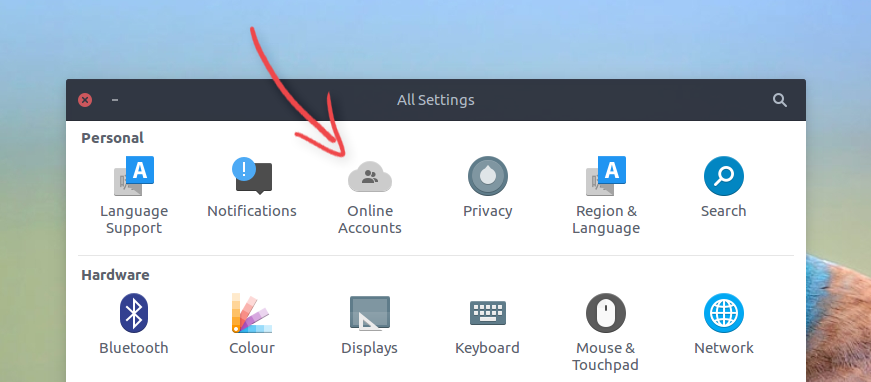
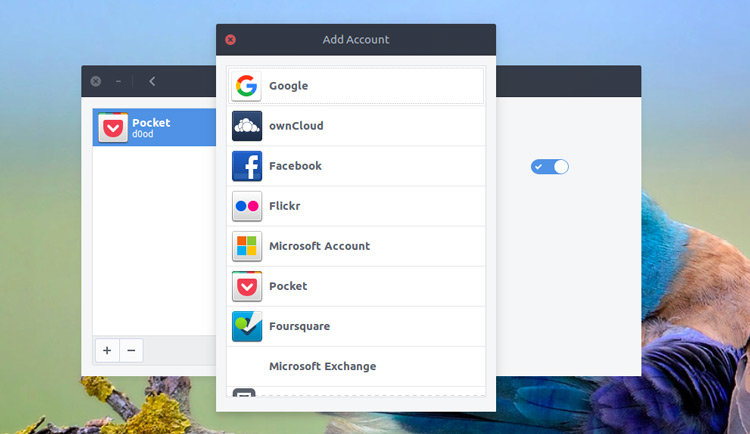
4. Click ‘Add Account’, followed by ‘Google’. Proceed to enter your account details and grant GNOME authorisation to fetch and edit your files.
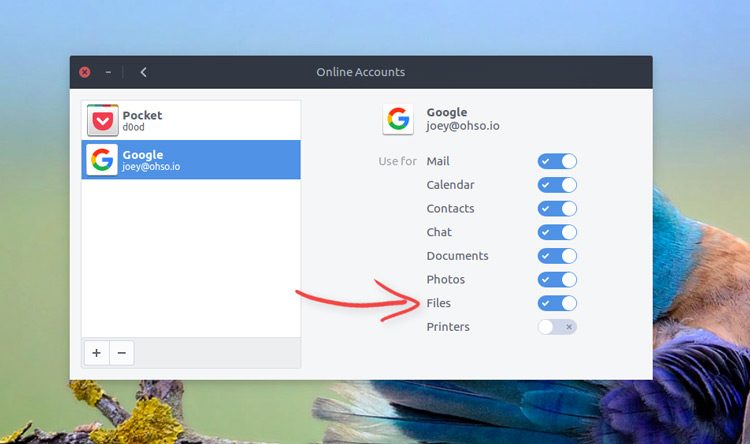
5. Make sure that the ‘Files’ switch is in the correct position and you’re all set.
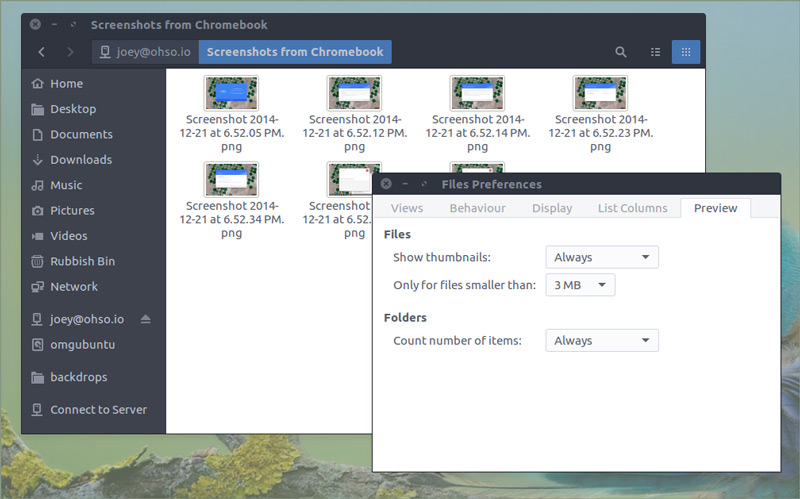
Open a new Nautilus window and click your Google account e-mail listed in the sidebar.

What This Is (And Isn’t)
It’s important to be aware that this does not create a local copy of your Google Drive contents. It can only be used with an active internet connection.
As a gvfs (Gnome Virtual File System) mount this “access” comes with all the usual limitations and caveats (i.e., any files you add or delete in the Google Drive folder in Nautilus are instantly synced on the cloud (and vice versa). You also don’t get any other niceties, like share links, and so on.
Load Remote Thumbnails
By default Nautilus won’t load file previews/thumbnails from remote mounts. You can change this setting through Nautilus > Edit > Preferences > Preview and changing Show Thumbnail from Local to Always Show.
Manage Files
You can open Google Drive files in local apps, edit them, and have those changes saved right back to the cloud — handy for photo and document editing!
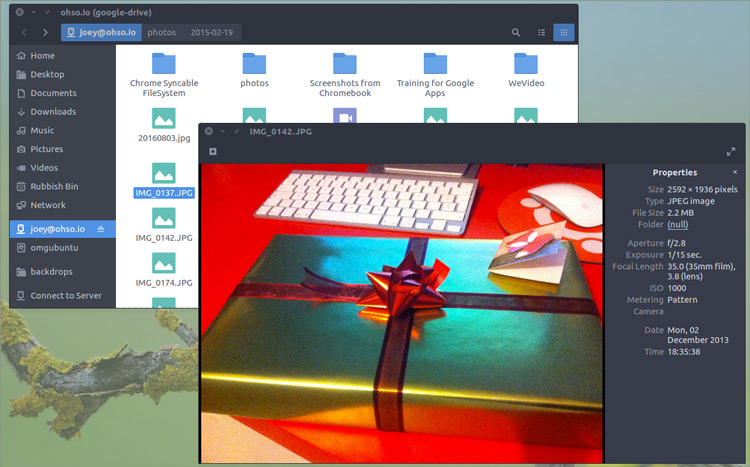
To save a file locally for offline use simple drag and drop it from the Google Drive folder to a local folder.
To upload a file to Google Drive simply copy/drag and drop it into a directory in the Google Drive folder.

請先 登入 以發表留言。